hugo 博客系统 even 主题预览

文章目录
【注意】最后更新于 September 22, 2018,文中内容可能已过时,请谨慎使用。
这篇文章集中说明 even 主题所支持的 Markdown 语法和 Hugo Shortcodes 插件,你也可以在这里预览到他们的样子。如果你不喜欢某些样式,可以去修改 css/ 文件夹下的 .scss 文件。
Copy from 《Hugo 主题 Nuo 文章样式预览》
1.标题
# H1
## H2
### H3
#### H4
##### H5
###### H6
2. 段落
使用单引号 * 或者单下划线 _ 标记 斜体强调 或者 斜体强调
使用两个星号 ** 或者两个下划线 __ 标记 加粗强调 或者 加粗强调
引号和下划线可叠加使用 → 只是加粗 斜体并加粗
使用两个波浪线 ~~ 标记 已删除文字
插入文字暂无 Markdown 标记,直接使用 HTML 标签 <ins> 标记 插入文字
行内代码使用反引号标记 → print("hello world")
上标 X2 / 下标 X2
按键 Ctrl
页面内段落 图片
注意:你可以通过 {#section-id} 方式自定义段落锚点
使用单引号 `*` 或者单下划线 `_` 标记 *斜体强调* 或者 _斜体强调_

使用两个星号 `**` 或者两个下划线 `__` 标记 **加粗强调** 或者 __加粗强调__

引号和下划线可叠加使用 → **只是加粗 _斜体并加粗_**

使用两个波浪线 `~~` 标记 ~~已删除文字~~

插入文字暂无 `Markdown` 标记,直接使用 `HTML` 标签 `<ins>` 标记 <ins>插入文字</ins>

行内代码使用反引号标记 → `print("hello world")`

上标 X<sup>2</sup> / 下标 X<sub>2</sub>

按键 <kbd>Ctrl</kbd>

外链 [chekun's blog](https://chekun.me)

页面内段落 [图片](#section-07)

*注意:你可以通过 `{#section-id}` 方式自定义段落锚点*

参考资料 <sup>[[1]](#ref01)</sup><sup>[[2]](#ref02)</sup>

## 参考资料

1. <a id="ref01">[Markdown Cheatsheet](https://github.com/adam-p/markdown-here/wiki/Markdown-Cheatsheet)</a>
2. <a id="ref02">[Markdown 语法手册](https://www.zybuluo.com/EncyKe/note/120103)</a>
3. 列表
以下的无序、有序和任务列表均支持二级嵌套,不建议使用二级以上嵌套。
3.1 无序列表
- 无序列表
- 嵌套的无序列表
- 嵌套的无序列表
- 无序列表
- 嵌套的有序列表
- 嵌套的有序列表
无序列表
* 无序列表
- 嵌套的无序列表
- 嵌套的无序列表
* 无序列表
1. 嵌套的有序列表
2. 嵌套的有序列表
* 无序列表
3.2 有序列表
- 有序列表
- 嵌套的有序列表
- 嵌套的有序列表
- 有序列表
- 嵌套的无序列表
- 嵌套的无序列表
有序列表
1. 有序列表
1. 嵌套的有序列表
2. 嵌套的有序列表
2. 有序列表
- 嵌套的无序列表
- 嵌套的无序列表
3. 有序列表
3.3 定义列表
- CSS
- 层叠样式表
3.4 任务列表
[ ] 七月旅行准备
[x] 购买蓝宝石公主号七月一日的船票
- [ ] Cmd Markdown 开发
- [ ] 改进 Cmd 渲染算法,使用局部渲染技术提高渲染效率
- [ ] 支持以 PDF 格式导出文稿
- [x] 新增Todo列表功能 [语法参考](https://github.com/blog/1375-task-lists-in-gfm-issues-pulls-comments)
- [x] 改进 LaTex 功能
- [x] 修复 LaTex 公式渲染问题
- [x] 新增 LaTex 公式编号功能 [语法参考](http://docs.mathjax.org/en/latest/tex.html#tex-eq-numbers)
- [ ] 七月旅行准备
- [ ] 准备邮轮上需要携带的物品
- [ ] 浏览日本免税店的物品
- [x] 购买蓝宝石公主号七月一日的船票
4. 引用
野火烧不尽,春风吹又生。
– 白居易《赋得古原草送别》
> 野火烧不尽,春风吹又生。
>
> <cite>-- 白居易《赋得古原草送别》</cite>
5. 代码
以本站的一段 JavaScript 代码做演示。
// Initialize video.js player
if (document.getElementById('my-player') !== null) {
  /* eslint-disable no-undef */
  videojs('#my-player', {
    aspectRatio: '16:9',
    fluid: true,
  });
}
6. 分割线
---中间能写字的分割线,如果你修改了分割线中字的内容,请配合修改 CSS 样式。
7. 图片
不带标题的图片,如下图:
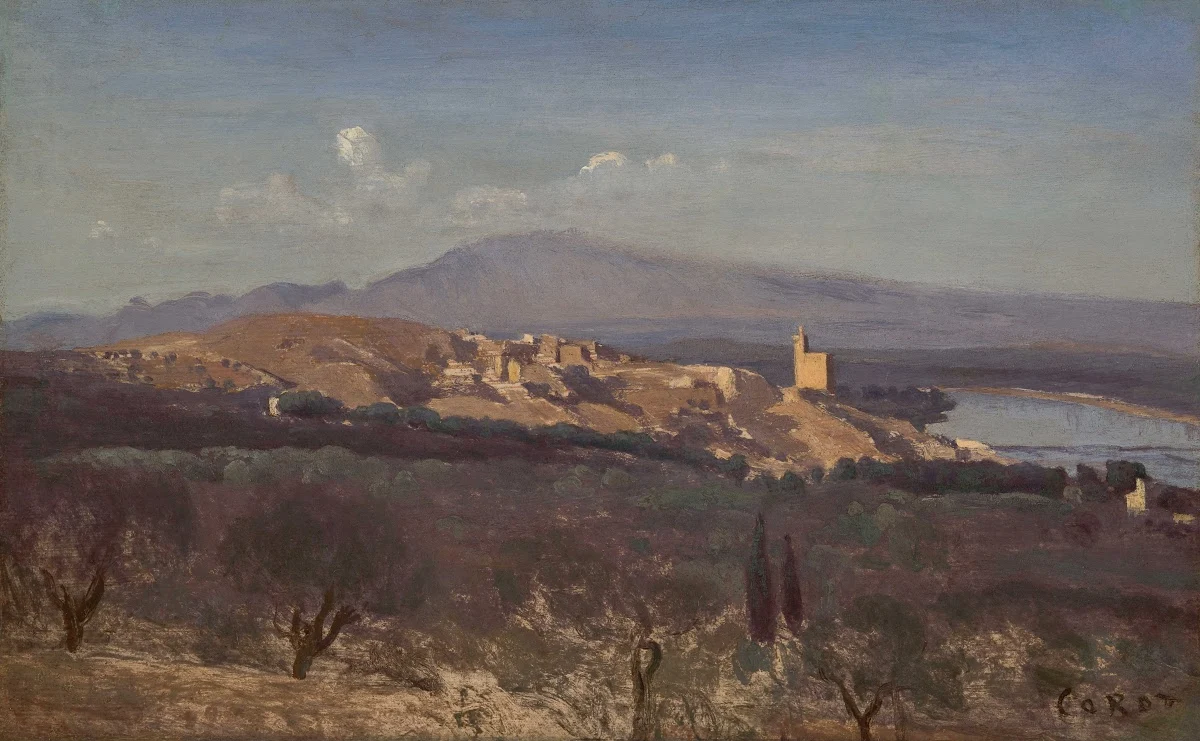
带标题的图片,如下图:
Villeneuve-les-Avignon
不带标题的图片,如下图:

带标题的图片,如下图:
`<figure class="center">
<img src="/img/0021-even-preview/Villeneuve-les-Avignon.jpg"
alt="Villeneuve-les-Avignon"/> <figcaption>
<h4>Villeneuve-les-Avignon</h4>
</figcaption>
</figure>
`图片来源:Google Art
8. 表格
使用 Markdown 画的表格,如下表
| Tables | Are | Cool |
|---|---|---|
| col 3 is | right-aligned | $1600 |
| col 2 is | centered | $12 |
| zebra stripes | are neat | $1 |
| Tables        | Are           | Cool  |
| :------------ |:-------------:| -----:|
| col 3 is      | right-aligned | $1600 |
| col 2 is      | centered      |   $12 |
| zebra stripes | are neat      |    $1 |
9. 数学公式
主题使用了 MathJax 开源库来实现对数学公式的支持,使用 $$ 标记。
$$ evidence_{i}=\sum_{j}W_{ij}x_{j}+b_{i} $$
$$ evidence\_{i}=\sum\_{j}W\_{ij}x\_{j}+b\_{i} $$10. 网易云音乐
主题文章中可以轻松插入 网易云音乐 的指定音乐,你可以根据需要将音乐设置为自动播放,在主题目录 layouts/shortcodes 文件夹下的 music.html 对该标签进行定义。
Params
id- required param
- you can extract from music url
- url format http://music.163.com/#/song?id=28196554
Fiddle
auto- optional param
- default value 0
- you can overwrite it with 1
Examples
Simple
{{% music "28196554" %}}
{{% music "28196554" "1" %}}
Named Params
{{% music id="28196554" %}}
{{% music id="28196554" auto="1" %}}
Example
{{% music "28196554" %}}
music2:
11. YouTube
由于不明原因可能无法播放。
12. 代码块语法高亮
function helloWorld () {
  alert("Hello, World!")
}
public class HelloWorld {
  public static void main(String[] args) {
    System.out.println("Hello, World!");
  }
}
package hello
fun main(args: Array<String>) {
println("Hello World!")
}#include <stdio.h>
/* Hello */
int main(void){
printf("Hello, World!");
return 0;
}// 'Hello World!' program
#include <iostream>
int main(){
std::cout << "Hello World!" << std::endl;
return 0;
}
using System;
class HelloWorld{
  public static void Main(){
    System.Console.WriteLine("Hello, World!");
  }
}
<html>
<body>
  Hello, World!
</body>
</html>
package main
import fmt "fmt"
func main()
{
fmt.Printf("Hello, World!\n");
}object HelloWorld with Application {
Console.println("Hello, World!");
}<?php
echo 'Hello, World!';
?>
print("Hello, World!") 13. 对齐方式
center, right, left
## default

{{% center %}}
## center

{{% /center %}}
{{% right %}}
## right

{{% /right %}}
{{% left %}}
## left

{{% /left %}}figure with class
{{% figure src="/path/to/img.gif" title="default" alt="img" %}}
{{% figure class="center" src="/path/to/img.gif" title="center" alt="img" %}}
{{% figure class="right" src="/path/to/img.gif" title="right" alt="img" %}}
{{% figure class="left" src="/path/to/img.gif" title="left" alt="img" %}}
{{% center %}}
## hybrid in center
{{% figure src="/path/to/img.gif" title="default" alt="img" %}}
{{% figure class="right" src="/path/to/img.gif" title="right" alt="img" %}}
{{% left %}}
{{% figure src="/path/to/img.gif" title="default in left" alt="img" %}}
{{% /left %}}
{{% /center %}}14. 流程图
st=>start: Start|past:>http://www.google.com[blank]
e=>end: End:>http://www.google.com
op1=>operation: My Operation|past
op2=>operation: Stuff|current
sub1=>subroutine: My Subroutine|invalid
cond=>condition: Yes
or No?|approved:>http://www.google.com
c2=>condition: Good idea|rejected
io=>inputoutput: catch something...|request

st->op1(right)->cond
cond(yes, right)->c2
cond(no)->sub1(left)->op1
c2(yes)->io->e
c2(no)->op2->e
```flowchart
st=>start: Start|past:>http://www.google.com[blank]
e=>end: End:>http://www.google.com
op1=>operation: My Operation|past
op2=>operation: Stuff|current
sub1=>subroutine: My Subroutine|invalid
cond=>condition: Yes
or No?|approved:>http://www.google.com
c2=>condition: Good idea|rejected
io=>inputoutput: catch something...|request
st->op1(right)->cond
cond(yes, right)->c2
cond(no)->sub1(left)->op1
c2(yes)->io->e
c2(no)->op2->e
```配置
Configure for all home and regular pages:
[params.flowchartDiagrams]
  enable = true
  options = ""
Configure for a single post in the front matter (Params in front matter have higher precedence):
flowchartDiagrams:
enable: true
options: "{
'x': 0,
'y': 0,
'line-width': 3,
'line-length': 50,
'text-margin': 10,
'font-size': 14,
'font-color': 'black',
'line-color': 'black',
'element-color': 'black',
'fill': 'white',
'yes-text': 'yes',
'no-text': 'no',
'arrow-end': 'block',
'scale': 1,
'i-am-a-comment-1': 'Do not use //!',
'i-am-a-comment-2': 'style symbol types',
'symbols': {
'start': {
'font-color': 'red',
'element-color': 'green',
'fill': 'yellow'
},
'end': {
'class': 'end-element'
}
},
'i-am-a-comment-3': 'even flowstate support ;-)',
'flowstate': {
'request': {'fill': 'blue'}
}
}"See more information from https://github.com/adrai/flowchart.js.
15. 序列图
使用
Andrew->China: Says Hello
Note right of China: China thinks\nabout it
China-->Andrew: How are you?
Andrew->>China: I am good thanks!
```sequence
Andrew->China: Says Hello
Note right of China: China thinks\nabout it
China-->Andrew: How are you?
Andrew->>China: I am good thanks!
```配置
Configure for all home and regular pages:
[params.sequenceDiagrams]
  enable = true
  options = "{theme: 'hand'}"
Configure for a single post in the front matter (Params in front matter have higher precedence):
sequenceDiagrams:
  enable: true
  options: "{theme: 'hand'}"
选项
options = {
  // Change the styling of the diagram, typically one of 'simple', 'hand'. New themes can be registered with registerTheme(...).
  theme: string,

  // CSS style to apply to the diagram's svg tag. (Only supported if using snap.svg)
  css_class: string,
}
See more information from https://github.com/bramp/js-sequence-diagrams.
例子
Title: Here is a title
A->B: Normal line
B-->C: Dashed line
C->>D: Open arrow
D-->>A: Dashed open arrow
```sequence
Title: Here is a title
A->B: Normal line
B-->C: Dashed line
C->>D: Open arrow
D-->>A: Dashed open arrow
```# Example of a comment.
Note left of A: Note to the\n left of A
Note right of A: Note to the\n right of A
Note over A: Note over A
Note over A,B: Note over both A and B```sequence
# Example of a comment.
Note left of A: Note to the\n left of A
Note right of A: Note to the\n right of A
Note over A: Note over A
Note over A,B: Note over both A and B
```